Give the expense a home.
Add its provider, date and amount. Attach PDF, PNG or JPEG receipts, EOBs and proof of payment. Your originals are copied into the encrypted vault.
 HarborMintYOUR EVIDENCE, AT HOME
HSA & FSA RECEIPTS, IN YOUR CUSTODY
A quiet home for the receipts you may need years from now. Keep the originals, follow each reimbursement, and take the proof with you.

Receipt + EOB + payment proofOriginal files. Recorded hashes. One place.
✓On your Windows PC
✦HSA and FSA together
✦Your originals stay yours
THE WHOLE PAPER TRAIL, IN VIEW
A receipt is only part of the record. Keep supporting files beside the amount, date and reimbursement status so your future self has the context.
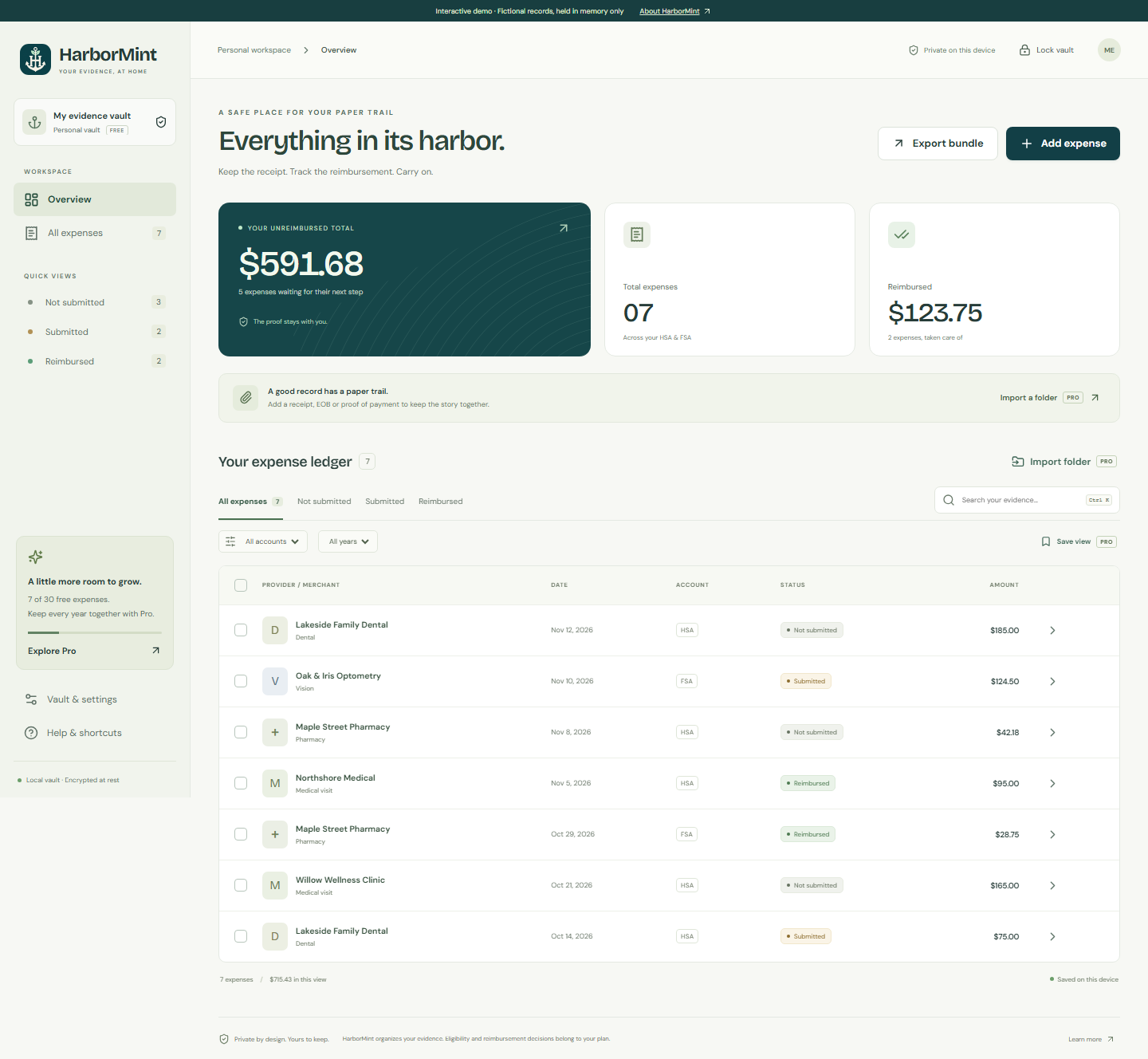
Fictional sample records shown. Try this interface in the interactive demo.
A SIMPLE RHYTHM
Add its provider, date and amount. Attach PDF, PNG or JPEG receipts, EOBs and proof of payment. Your originals are copied into the encrypted vault.
Move between Not submitted, Submitted and Reimbursed. Each change keeps a timestamped history. Find a record by provider, note, year or account.
Export a ZIP with original files, a CSV ledger and a SHA-256 manifest. Or make an encrypted backup for your own separate storage.
PRIVATE BY DESIGN
The vault runs locally. No HarborMint account, bank login, receipt upload or analytics SDK is needed. Your passphrase locks the records and the original files.
Read how custody worksMicrosoft Store manages Pro purchases and license checks. Your expenses are not sent with those requests.
A backup needs its original passphrase. We cannot recover it. Exported evidence ZIPs are unencrypted, so choose where you keep them.
Read the privacy policyBEFORE YOU COME ABOARD
No. It keeps the information and evidence you enter. Ask your plan administrator or a qualified professional about eligibility, tax treatment and retention requirements.
Core vault work is local: adding and editing expenses, files, search, export and backups. Pro purchases and license restoration require Microsoft Store. Windows and WebView2 can make their own system requests.
You can keep reading, editing, attaching files within the Free limit, exporting and backing up every existing record. Add a new record after deleting an old one, or upgrade to Pro for unlimited records.
This release uses manual entry. Pro folder import queues files for your review; it does not extract dates or amounts. HarborMint does not submit claims or connect to banks.
There is no reset or recovery service. Keep your passphrase in a safe place, and save encrypted backups to another drive. A backup still requires the original passphrase.
YOUR FUTURE SELF WILL KNOW WHERE TO LOOK.
No login. Fictional records.
A feel for your future paper trail.